Direct Integration
Direct Integration is a REST API that exchanges JSON payloads over HTTPS. It provides real-time information about Capricorn member trade accounts and enables suppliers to submit invoices and credit notes against those accounts.
What Direct Integration covers
| Capability | Summary | Primary document |
|---|---|---|
| Get Accounts | Provides real-time information about a Capricorn member's trade account profile and trading status. | Get Accounts reference |
| Get Members | Provides member details in bulk for a given zone and supports delta updates over time. | Get Members reference |
| Post Transaction (Deprecated) | Submit an invoice or credit note against a Capricorn trade account. | Post Transaction reference (Deprecated) |
| Post Direct Transaction | Submit an invoice or credit note directly against a Capricorn trade account using an invoice date. | Post Direct Transaction reference |
POST /transaction is deprecated. Use POST /direct-transaction for new integrations.
Recommended direct journey
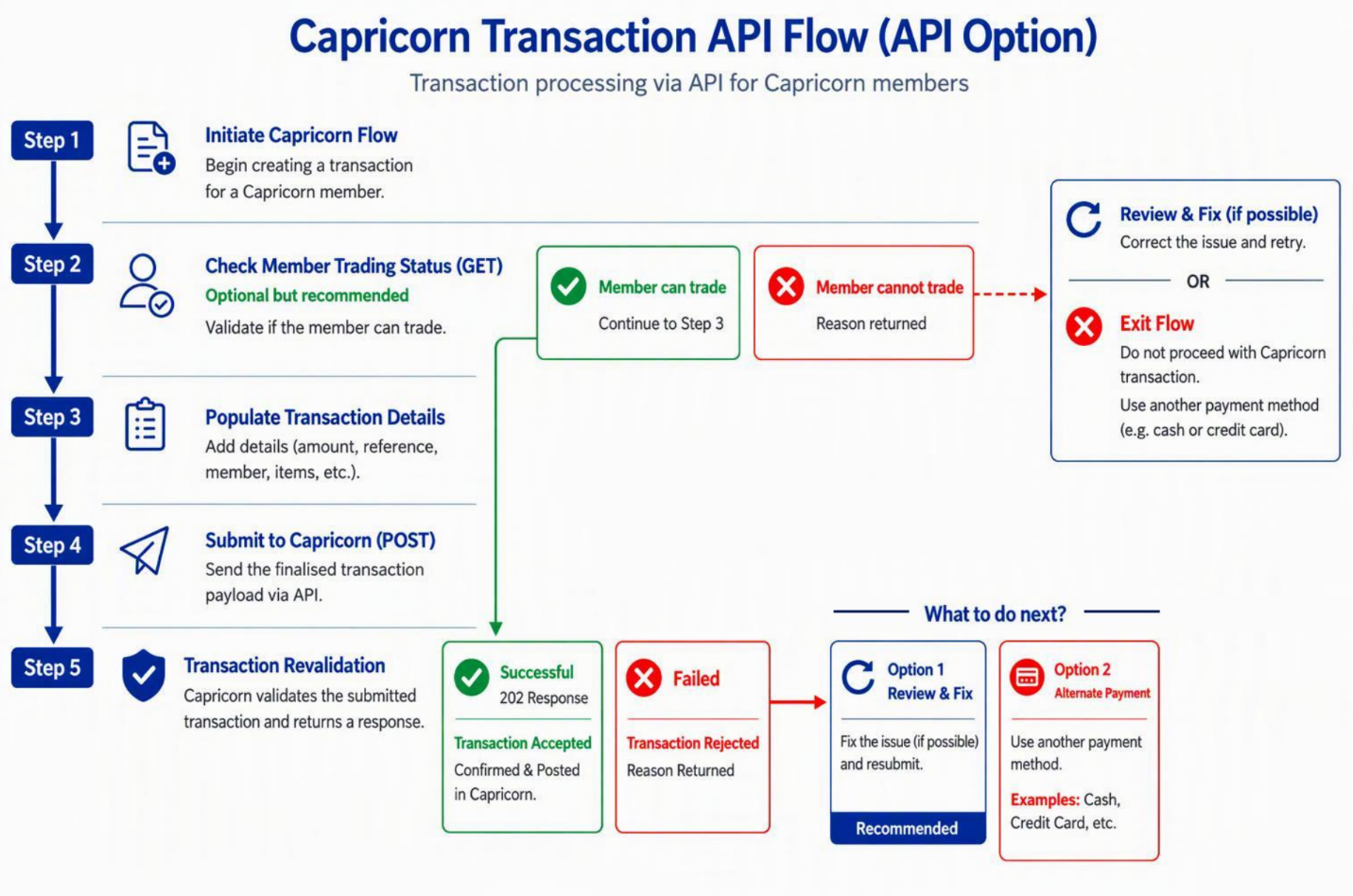
- 1
Capture Transaction Details
Gather the invoice or credit note details in your supplier application.
- 2
Authentication & Authorization
Include the documented authentication and authorization headers on each API request:
client_id,client_secret, andx-captoken. - 3
Get Accounts Validation
Confirm the member account and trading status before submission.
- 4
Prepare Transaction Payload
Populate the final request with the documented mandatory transaction fields.
- 5
Post Transaction
Submit the completed invoice or credit note using the transaction endpoint.
- 6
Accepted or Rejected Response
Receive
202 Acceptedwhen the transaction is accepted, confirmed, and posted in Capricorn, or a rejected response with a reason for supplier follow-up.